
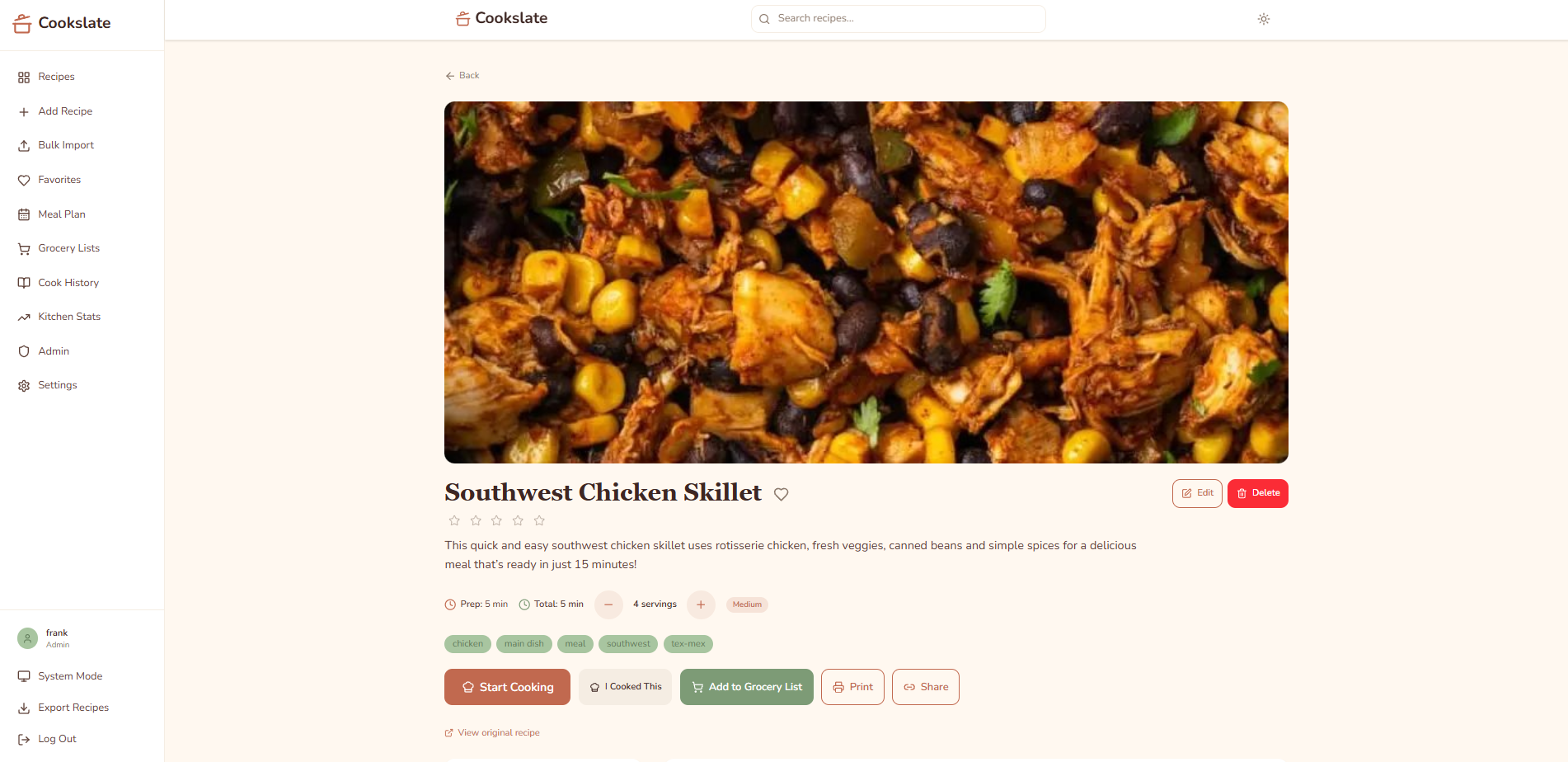
Your recipes. Your way.
A recipe manager that remembers how you cook, not just what you cook. Self-hosted on any PHP hosting, no Docker required.
Features
Free (open source):
- Import recipes from any URL (auto-scrapes structured data)
- Import from Mealie, Paprika, and Tandoor exports
- Full-text search across titles, descriptions, and ingredients
- Tags, favorites, and ratings
- Cook Mode: step-by-step with timers, wake lock, and vibration alerts
- Serving scaling: adjust servings and ingredients recalculate
- Grocery lists with smart ingredient consolidation
- Pantry tracking: mark always-stocked items, auto-detected on future lists
- Shoppable quantities: converts recipe amounts to store-buyable packages
- Recipe collections: organize recipes into named groups
- Private recipes: mark recipes as only visible to you
- Ingredient database with nutrition data and USDA lookup
- Discover recipes from the web (search + import)
- Cook logging and history
- Calorie display on recipe cards
- Dark mode & mobile responsive
Pro ($29.99 one-time – launch special $9.99 until July 1, 2026):
- Meal planning with weekly drag-and-drop calendar
- iCal export: sync meal plans to your calendar app
- Grocery list generation from meal plans
- Cook tracking stats, streaks, and forgotten favorites
- Recipe annotations (margin notes)
- Multi-user household support (up to 5)
- Data export (JSON-LD, Cooklang)
- PWA with offline support
Quick Start (Docker)
git clone https://github.com/frobinson47/cookslate.git
cd cookslate
docker compose up -d
Code language: PHP (php)
Visit http://localhost:8080 and run the install wizard to create your admin account. That’s it.
Quick Start (Manual)
- Clone the repo to your web server’s document root
- Copy
api/.env.exampletoapi/.envand configure database credentials - Create a MySQL database and import
database/schema.sql - Run
cd frontend && npm install && npm run build - Point your web server to the project root (Apache with modrewrite, or Caddy)
- Visit your site and run the install wizard at
/api/install.php - Start importing recipes!
Requirements
Docker: Just Docker and Docker Compose.
Manual install:
- PHP 8.1+ with GD, PDO MySQL, OpenSSL extensions
- MySQL 8.0+
- Node.js 18+ (for building the frontend)
- Apache with modrewrite (or Caddy/Nginx with equivalent config)
Tech Stack
- Backend: PHP (custom microframework, no dependencies)
- Frontend: React 18 + Vite + Tailwind CSS 4
- Database: MySQL
- Icons: Lucide React
License
- Free-tier code (
api/,frontend/src/, excludingpro/directories): MIT - Pro-tier code (
api/pro/,frontend/src/pro/): BSL 1.1 — converts to MIT on 2029-03-24
Links
