What It Is
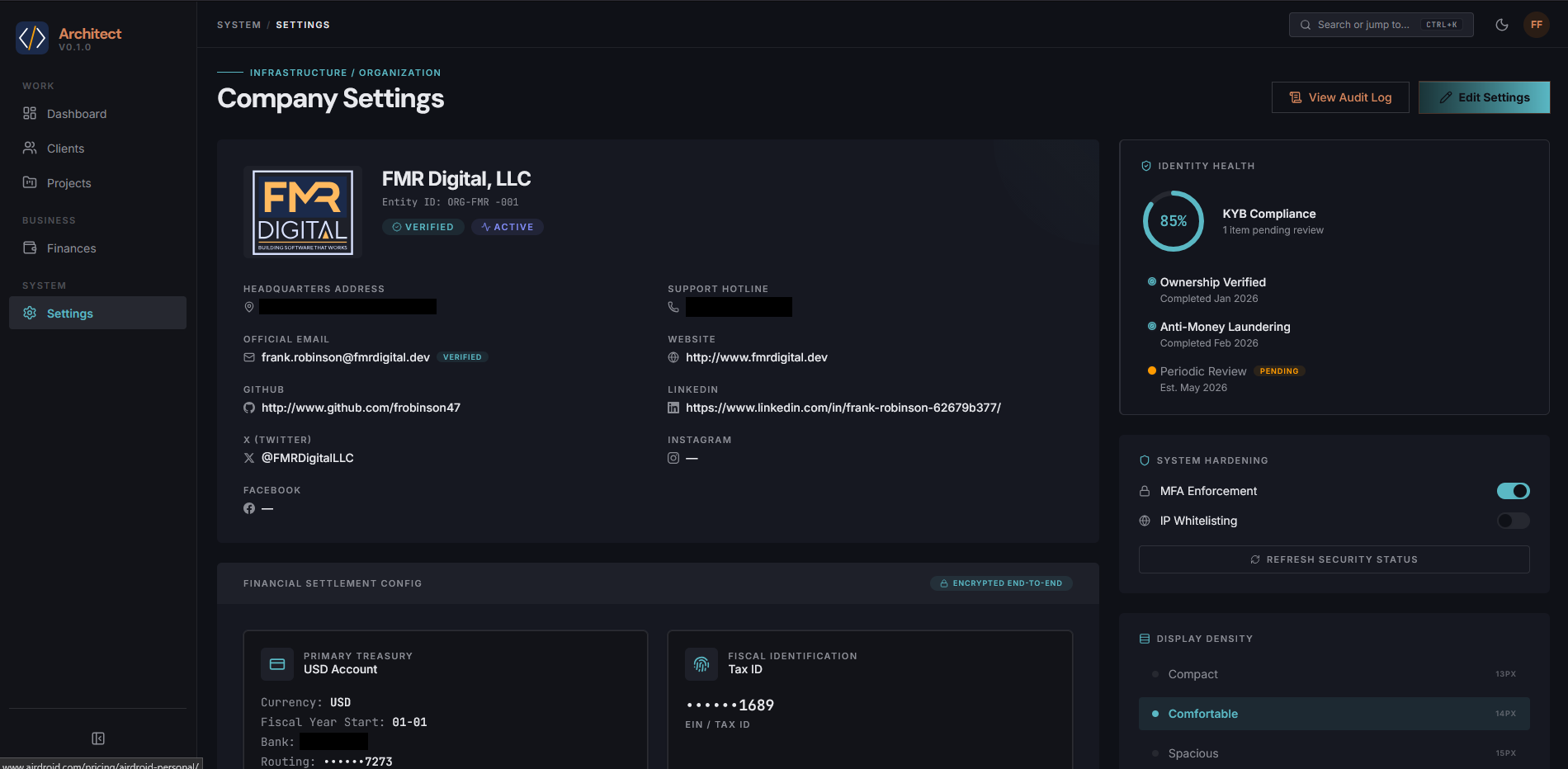
Architect Console is an internal project management and business intelligence dashboard built for FMR Digital. It’s the kind of tool that exists because generic solutions: Trello, Jira, whatever off-the-shelf BI platform never quite fit the way a specific team (me) actually works. Rather than forcing workflows into someone else’s software, I built something purpose-made.
Why It Exists
Internal tooling is unglamorous work, but it’s some of the most impactful code you can write. A well-built dashboard that surfaces the right data at the right time can genuinely change how a team makes decisions. Architect Console is my attempt at exactly that, a single place where project status, metrics, and operational data come together in a way that actually makes sense for how FMR Digital runs (In my head, anyway).
The name isn’t accidental. An architect needs to see the whole structure at once, load-bearing walls, plumbing, electrical, before making decisions. That’s the mental model behind this console: give the people who need to make calls a clear, unified view of what’s happening.
How It’s Built
The stack is intentionally lean: PHP handles the server-side logic and data layer, with HTML, CSS, and JavaScript driving the frontend. No heavy frameworks, just solid fundamentals that are easy to maintain and extend without a build pipeline getting in the way. A handful of Shell scripts handle automation tasks on the backend, keeping routine operations consistent and hands-free.
This isn’t a stack chosen for its impressiveness, it’s chosen because it works reliably in a self-hosted environment, stays fast, and doesn’t introduce unnecessary dependencies. Internal tools need to keep working more than they need to be cutting-edge.
Current State
The project is actively maintained and in use. It’s not a proof-of-concept sitting in a drawer somewhere, it’s running, it’s being relied on, and it continues to evolve as FMR Digital’s needs change. The source lives on my self-hosted Forgejo instance, which itself is a reflection of my preference for owning my own infrastructure.
What I Learned
Building internal tools teaches you things that public-facing projects don’t. You’re not designing for anonymous users, you’re designing for people you know, who will tell you directly when something is confusing or broken. That tightens the feedback loop considerably. It also forces you to think carefully about information architecture: what goes on the main view, what gets buried in a detail panel, and what shouldn’t be surfaced at all.
If you’ve ever built something for your own team or organization, you know there’s a particular satisfaction in watching people actually use it. Architect Console is that project for me.